Top 10 Common Issues in Digital Surface Printing?

Time:2026-07-18 Author:Ethan
0%

Digital surface printing is revolutionizing the way we approach design and manufacturing. However, as with any technology, challenges exist. Businesses must understand what are common issues in digital surface printing to navigate these hurdles successfully.

Common problems include ink adhesion issues, which can lead to subpar prints. Color matching discrepancies often arise, affecting overall product quality. Additionally, printer misalignment can cause wasted material and increases costs. These challenges are not merely technical; they require a deep understanding of the printing process.

Reflecting on these issues is crucial for companies aiming to maintain competitive edges. By addressing common pitfalls, businesses can improve their digital printing outcomes. This awareness not only enhances quality but fosters innovation and reliability in products. Embracing the complexities of digital printing leads to better solutions and happier clients.
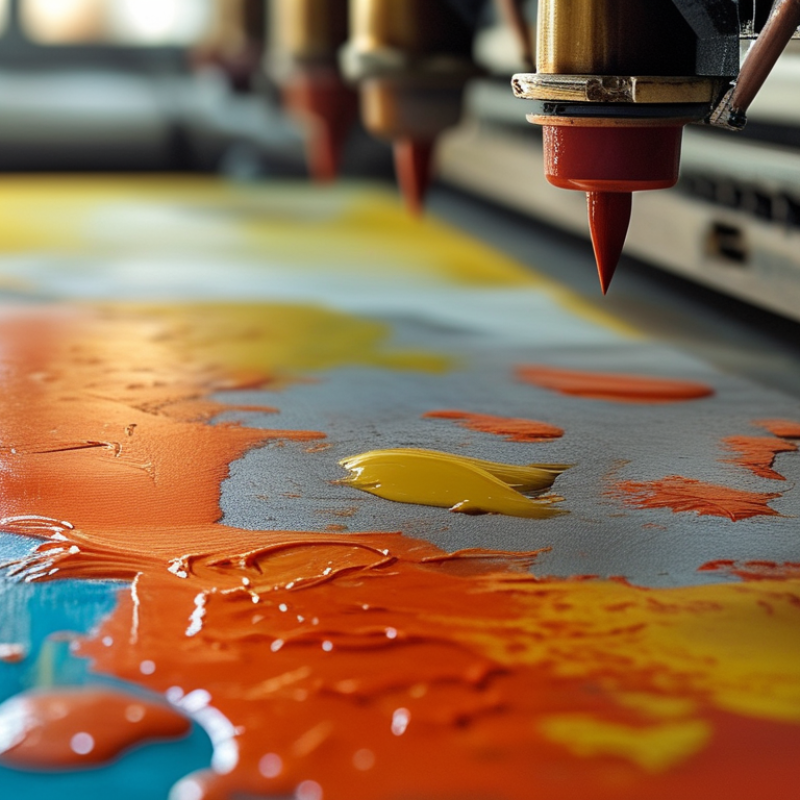
Top 10 Common Issues in Digital Surface Printing?

Common Issues Related to Ink Quality in Digital Surface Printing

In digital surface printing, ink quality is paramount. Poor ink quality can lead to several issues. Many printers face problems such as color mismatch and poor adhesion. According to a recent report by Smithers Pira, nearly 30% of print issues arise from inadequate ink formulations. This data highlights the need for stringent quality control measures in ink production.

Inks may degrade due to storage conditions. High temperatures and humidity can alter their properties. Consistent monitoring, therefore, is essential. The International Coatings Group found that improper storage can lead to a 15% reduction in color vibrancy. Additionally, inconsistent ink viscosity can cause blotchiness on prints. Printers must be vigilant about maintaining uniform ink consistency to prevent such flaws.

Another common concern is ink drying times. Slow drying can result in smudging and transfer issues. An industry survey indicated that 45% of printers reported problems related to drying. This illustrates a need for innovation in ink formulations to expedite drying without sacrificing quality. Considering these factors can significantly enhance print results and reduce waste.

Challenges in Print Resolution and Image Clarity

In digital surface printing, achieving print resolution and image clarity poses significant challenges. The intricacies of dot placement and ink management can lead to various issues. Poor resolution may result in grainy or pixelated images. Images lose their intended impact when the details aren't sharp.

One way to tackle print resolution issues is by selecting the right file format. High-resolution formats preserve detail better. Ensure your images are at least 300 DPI for optimal printing outcomes. This step can safeguard against potential loss of clarity.

Another common challenge involves ink consistency. Variations in ink density can cause inconsistencies in color reproduction. Regular maintenance of print heads is vital. Clogged nozzles can lead to splotchy prints and diminish overall quality. Cleaning and calibrating your printer regularly can prevent these headaches. Always monitor ink levels to avoid surprises during a print run.

Lastly, ensure to use the correct media. Different substrates absorb ink differently. This can affect the final appearance. Testing various materials before large print jobs can save time and resources. Adjusting settings based on substrate type may improve results. Addressing these issues thoughtfully fosters a better print experience.

Impact of Material Selection on Printing Outcomes

Material selection in digital surface printing significantly influences the final product's quality. A study shows that over 30% of printing issues stem from improper material choices. The right substrate can enhance ink adhesion and color vibrancy. Conversely, inadequate materials lead to fading and peeling, which affects durability.

Specific findings indicate that plastic and metal surfaces can yield superior results compared to untreated paper. A 2022 report highlighted that 45% of print professionals had experienced failed projects due to incompatible materials. Also, using coated versus uncoated surfaces can determine color accuracy. The latter often results in dull prints, prompting reconsideration of material choices.

Moreover, the printing environment plays a role in how materials interact with ink. Humidity and temperature fluctuations can affect adhesion. A study found that 60% of printers reported challenges with humidity levels impacting ink drying times. Proper equipment and settings must align with material properties to avoid issues. Addressing these factors is crucial for achieving optimal results in digital surface printing.

Troubleshooting Common Equipment Malfunctions in Printing

Digital surface printing equipment often faces various malfunctions that can affect workflow efficiency. One prevalent issue is ink smudging, which occurs when the printed material is improperly handled or if the ink is not fully cured. According to industry studies, nearly 30% of printing errors come from operator handling mistakes. Proper training on handling techniques can reduce this significantly.

Another common malfunction is printhead clogging. This problem arises when the ink dries in the nozzles, leading to uneven prints. Industry reports indicate that around 25% of maintenance calls are related to clogged nozzles. Regular cleaning cycles and proper ink formulations can mitigate this risk. However, some operators neglect routine maintenance, leading to costly repairs and production delays.

Color consistency is also a major concern. Inconsistent color output can result from several factors, including incorrect color profiles or variances in ink batches. According to surveys, 35% of print service providers report issues with color matching under varying lighting conditions. Engaging in frequent quality checks and using calibrated monitors can help address these inconsistencies. These issues require continual vigilance from operators to ensure that printing standards are met consistently.

Top 10 Common Issues in Digital Surface Printing

Understanding Color Management Difficulties in Digital Printing

Color management is crucial in digital surface printing. Achieving accurate colors on different materials can be a challenge. Many factors contribute to color inconsistencies, including printer settings, ink types, and substrate variations. Each component must work in harmony to produce a satisfactory final product.

One common issue arises from monitor calibration. Designers often work on screens that are not properly calibrated, leading to discrepancies between on-screen colors and printed results. The RGB color mode used in digital displays differs from the CMYK mode used in printing. This shift can create unexpected color shifts during the printing process. It is essential to ensure that monitors are calibrated regularly and that color profiles are used effectively.

Another concern is the choice of inks and substrates. Different materials absorb ink differently, which affects how colors appear. Testing samples before running large print jobs helps identify potential issues. Regular maintenance of printing equipment is also vital to ensure color accuracy. These steps can mitigate challenges, but reflection and adjustment are often necessary to achieve the desired outcomes.

Top 10 Common Issues in Digital Surface Printing

Issue Description Common Causes Solutions
Color Variation Inconsistent colors across prints. Different substrates, printer settings, and inks. Calibrate printer and use color profiles.
Ink Smudging Blurry or smudged ink on prints. Insufficient drying time or wrong ink type. Adjust drying settings or switch inks.
Print Head Clogging Nozzles are blocked, leading to missing colors. Infrequent use or low-quality inks. Regular maintenance and use quality inks.
Color Matching Difficulty in matching printed colors to originals. Inconsistent profiles and viewing conditions. Create and use accurate color profiles.
Substrate Compatibility Inks not adhering properly to substrates. Wrong ink type for the material used. Select appropriate ink for the substrate.
Ghosting Faint images appear on prints. Improper printer settings or low-quality substrates. Refine settings and use better materials.
Print Registration Issues Misaligned images on the final print. Mechanical issues or uncalibrated machines. Regular inspection and equipment maintenance.
Fading Printed colors lose vibrancy over time. Poor UV resistance in inks used. Use UV-resistant inks and coatings.
Cost Management High costs related to wastage and errors. Inefficient processes and underutilized resources. Streamline operations and monitor usage.

FAQS

: What issues arise from poor ink quality in digital printing?

: Poor ink quality leads to color mismatch, poor adhesion, and other print defects.

How does storage affect ink properties?

High temperatures and humidity can degrade ink, leading to reduced color vibrancy. Regular monitoring is essential.

What is the impact of ink viscosity on prints?

Inconsistent ink viscosity causes blotchiness. Maintaining uniform consistency is vital for quality output.

Why are drying times a concern in printing?

Slow drying can lead to smudging and transfer issues, negatively impacting print quality.

How does material selection affect printing results?

Choosing the right substrate enhances ink adhesion and color vibrancy, while poor choices cause fading and peeling.

What role does the printing environment play?

Humidity and temperature fluctuations can affect how materials interact with ink, impacting drying times and adhesion quality.

What are common operator handling mistakes?

Improper handling after printing can cause ink smudging, which is a frequent issue reported by printers.

How can printhead clogging be avoided?

Regular cleaning and proper ink formulations help prevent clogging, which is a common maintenance issue.

What can lead to inconsistent color output?

Issues may arise from incorrect color profiles or variations in ink batches. Regular quality checks are necessary.

How often should maintenance be performed on printing equipment?

Routine maintenance is crucial. Neglecting it can result in costly repairs and production delays.

Conclusion

Digital surface printing has revolutionized the way images are recreated, but it is not without its challenges. One major concern revolves around ink quality, where issues such as inconsistency and improper viscosity can significantly impact the final product. Additionally, achieving desired print resolution and image clarity often poses difficulties, as various factors can lead to pixelation or blurriness.

Material selection also plays a critical role; unsuitable substrates can hinder adhesion and result in poor output. Moreover, equipment malfunctions can disrupt the printing process, requiring careful troubleshooting to maintain efficiency. Understanding color management is another key challenge, as discrepancies in color representation can lead to unsatisfactory results. In summary, what are common issues in digital surface printing encompasses a variety of technical challenges that need addressing for successful printing outcomes.

Ethan

Ethan

Ethan is a seasoned marketing professional with a deep expertise in our company's innovative product line. With a passion for sharing knowledge and insights, he takes the lead in regularly updating our corporate blog, where he explores industry trends, product features, and effective marketing......